Spending
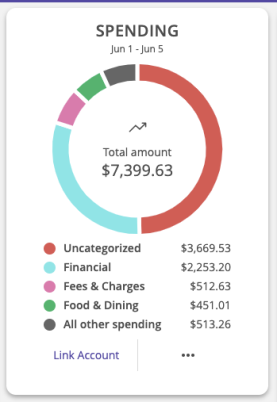
The Spending tool allows you to see a visual representation of how you are spending your money over a period of time. Transactions are categorized based on the same categories used in the Budget tool, but show the percentage of each category as compared to the total.
Note:
Depending on your FI's Home page layout the Spending tool is available as a content block on the Dashboard Home page
or from a link on the Legacy Home page. See
The Home page
for more information.
MX PFM Spending tool

Using the MX PFM Spending tool
- Select the Spending or Income tab
to view your spending or income for the selected month.
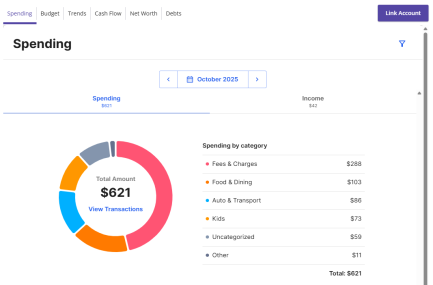
- Change the time frame by changing the date range.
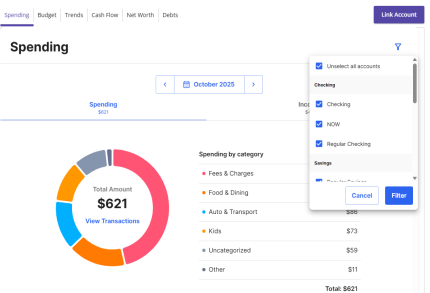
- Select the filter icon to filter transactions by account.
Choose the accounts you would like to view from the dropdown menu.
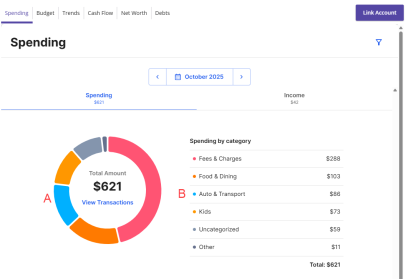
- Select a section of the spending wheel to see how much you spent in each category.
-
To view more information about each category, select either the category itself or the
corresponding section of the spending wheel.
-
To see the transactions under a subcategory,
select View Transactions in the center of the wheel.
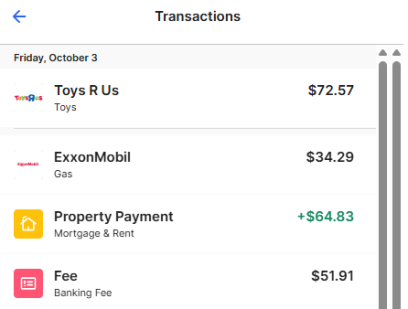
- Select a transaction to view or edit the transaction details.
Note: Tags only appear within Financial Tools. They do not appear on the Account Details page and are not used for anything within digital banking at this time.
Note:
To choose a specific date range you can
select from the calendar
or select the left or right arrow.
Note:
If a certain category spending is less than 3% of your overall spending,
it will be placed in the Other category.
Geezeo PFM Spending tool
Using the Geezeo PFM Spending tool
-
Change the time frame by selecting a date range in the calendar or using the slider.
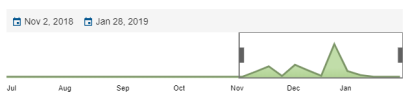
- Select Income to view your income transactions.
- Select a category to view all the transactions in that category for the date range selected.
- Select a transaction to view or edit the transaction details.
- To split a transaction, select the transaction and select Use Split Tag. Enter a category and amount for the split and select Save.
Note:
Your financial institution (FI) has a choice of two providers for
Personal Financial Management: MX or Geezeo.
This feature is only available to users with
MX Personal Financial Management.
To learn more, see
Determining your Personal Financial Management provider
.
Note: Your experience may be different from the user interface described, based on your financial institution's custom configuration.