Accounts tab
The Accounts tab shows all internally held accounts, accounts linked through Financial Tools (if applicable), and member-to-member or account-to-account connections.
Favoriting accounts
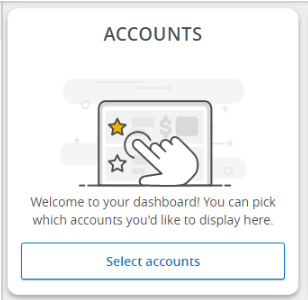
You can favorite between one to five accounts, with one account required to be marked as a favorite at minimum. If a you have five or fewer accounts, all accounts will be marked as favorites by default. if you have more than five accounts, you will see an empty state on the dashboard and an invitation to favorite accounts.
When you set or remove an account as a favorite, a toast notification will appear and inform you that the action was successful.
An account can be set as a favorite in one of two ways.
To favorite an account
-
Select the empty star icon (
 ) on the side of the account name. Accounts set as favorites will be represented by a filled star icon (
 ).
). -
Select the account dropdown menu (
 ) and choose Make favorite.
Reordering accounts
The listed order of accounts favorited is reflected on the dashboard. You can reorder the account list in one of two ways.
To rearrange the order of accounts
-
Select the drag handle (
 ) on the account row to drag and drop the account to the desired location.
 -
Select the account dropdown menu (
) and choose Move account up or Move account down.
Nicknaming accounts
You can adjust the displayed account name to a desired nickname.
To nickname an account:
-
Select the account dropdown menu (
) and choose Nickname. -
In the Account Nickname text field, enter the desired name of the account, and click Save.
Transaction details
A list of transactions is available for each account.
You can go to the transaction details of each account using one of the following ways:
-
On the Home page, select the desired account in the Accounts tile.
-
On the Manage Accounts page, select the desired account row.
-
On the Manage Accounts page, select the account dropdown menu (
) and choose View activity.
Settings
To view the settings for each account, select Settings from the account dropdown menu. This will take you to the Details & Settings tab for the account.