Viewing accounts
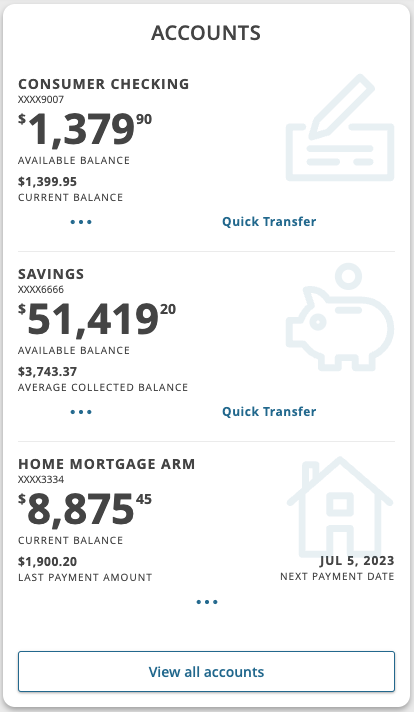
On the Dashboard Home page, your accounts will appear in the Accounts tile. The Accounts tile displays up to five accounts. You can mark your desired account(s) as favorites using the Manage Accounts page. If one account is selected as a favorite, the tile displays a single account view format. If more than one account is selected as a favorite, the tile displays a multi-acount view format. Selecting a single account tile will navigate you to all transactions listed under that account. Selecting View all Accounts will navigate you to the Manage Accounts page.
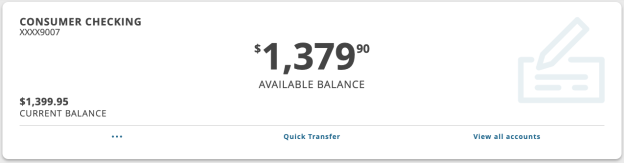
Single account desktop view
Multi-account desktop view
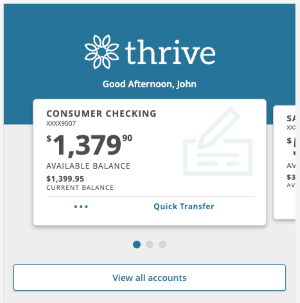
Mobile view
You can perform the following actions from Options ( ) on account cards depending on the account type and your FI's configuration:
- View activity—opens the Transactions tab on the Account Details page.
- View details—opens the Details & Settings tab on the Account Details page.
- Nickname—opens the Account Nickname window to assign a nickname to the account.
Account information
The following information may appear on the Home page for each account:
| Name | Description |
|---|---|
|
Account name |
The default name for the account or a custom nickname that you create in Settings. |
|
Account number |
The masked account number. Depending on your FI, your whole account number or a part of your account number will be shown. |
|
Balance |
The balance and balance type (Available and Current) for the account. |