Using trait tags
Use trait tags to organize your traits.
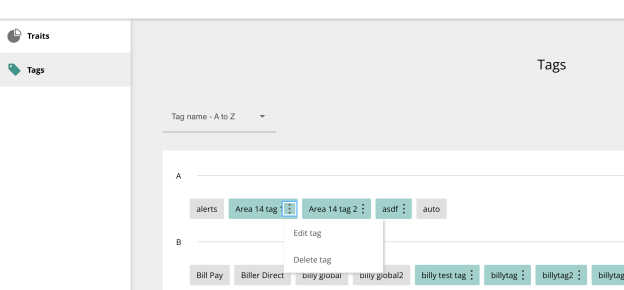
Grey tags are applied by Q2 and are immutable, meaning you cannot change or remove them. Teal tags are tags created and maintained by you, and you can add or delete them as needed.
Tip: Because tags are meant to help organize and group traits, Q2 recommends adding trait tags with care.
The Internal products tag has been added to reflect the set of internal product traits you have. This is so your specific internal products are easier to locate.
Managing trait tags
To manage, edit, or delete a tag, open the trait modal and select Tags.
In the tag management page, select the options ( ) menu to edit or delete the tag.