Dashboard home page
Note: Your FI has a choice of two layouts for the Home page. The following content only applies to users who are using the Dashboard. For more information on determining what Home page your FI uses, visit The Home page.
The Dashboard helps you manage your complete financial experience by displaying financial information in an efficient and usable way. FIs can customize your default landing page, which consists of several predefined content blocks. The names of menu items, buttons, fields, and pages may vary or may not be available depending on your FI's configuration.
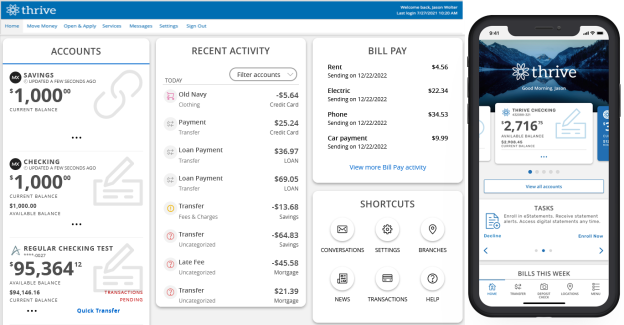
On any device, the Home page includes the Accounts tile, the Recent Activity tile, and the navigation .
Note: Your experience may be different from the user interface described, based on your financial institution's custom configuration.