Manual Accounts
Note: Your FI has a choice of two layouts for the Home page. The following content only applies to users who are using the Dashboard. For more information on determining what Home page your FI uses, visit The Home page.
The Manual Accounts tab allows you to track the value of assets and debts to help you see your full financial picture. Manual accounts are a way to represent external debts, properties, or any other account type that is unable to be linked at a financial institution.
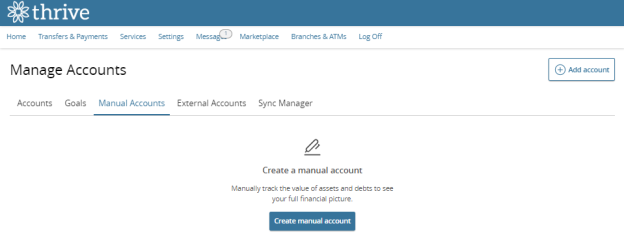
To create a manual account:
Note: The Manual Accounts tab is only visible if your FI uses MX Personal Financial Management. See Personal Financial Management for more information.
-
Select the Create manual account button.
-
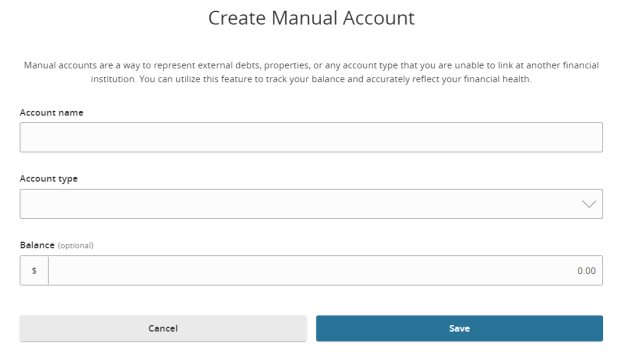
Enter an appropriate account name in the Account name text field.
-
Select the appropriate account type from the Account type dropdown menu.
Note: Potential account types include Checking, Savings, Loan, Credit Card, Investment, Line of Credit, Mortgage, Property, Cash, Insurance, and Prepaid. -
(Optional) Enter the account balance.
-
Select Save.
Note: Your experience may be different from the user interface described, based on your financial institution's custom configuration.